← Back to portfolio
CompletedMar 2025 – Present

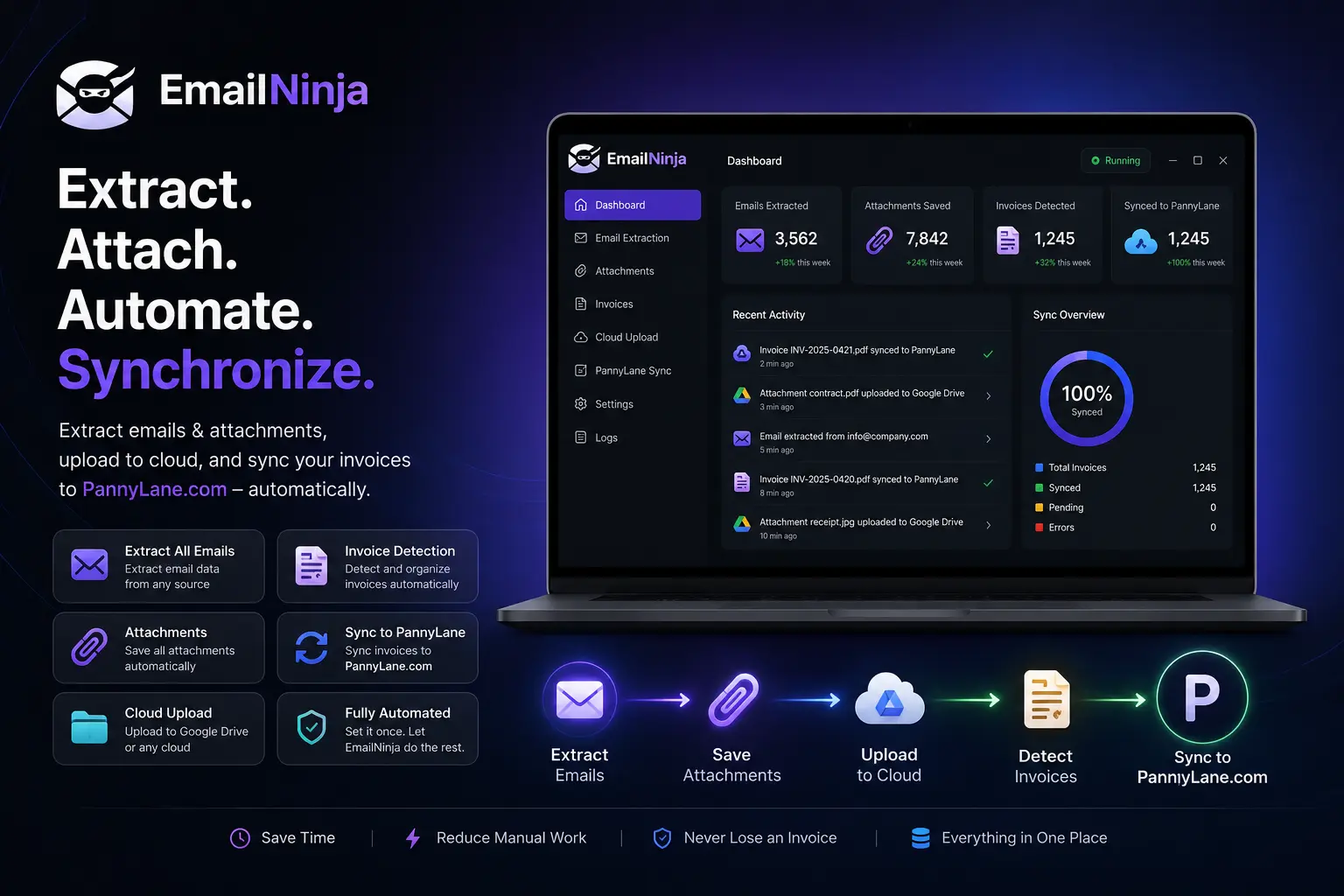
EmailNinja – Email Extraction & Invoice Processing Desktop App

Extract emails on demand from Gmail, download invoice attachments, perform OCR invoice parsing, upload documents to Google Drive, and track everything in a local database.

Role: Full-Stack Developer / Desktop Software Engineer

Client: Private Client

EmailNinja – Email Extraction & Invoice Processing Desktop App

Problem

Accounting teams spent hours manually searching Gmail, downloading invoice attachments, organizing files, uploading documents to Google Drive, and tracking extraction history. As email volume increased and supplier lists grew, the workflow became slower, repetitive, difficult to track, and more susceptible to human error.

Solution

EmailNinja is a desktop application that connects securely to Gmail using Google's OAuth authentication. Users upload a CSV file listing supplier emails and date ranges, then the application builds optimized Gmail search queries, extracts all matching emails with attachments, downloads PDFs to timestamped extraction folders, and uploads them to Google Drive with verification. An OCR module parses invoice data from PDFs, and everything is tracked in a local SQLite database with full extraction run history and duplicate detection.

Tech Stack

Python 3.xPySide6 (Qt6)SQLAlchemy 2.0SQLiteGoogle Gmail APIGoogle Drive APIGoogle OAuth 2.0google-api-python-client 2.108google-auth-oauthlib 1.1pytesseract 0.3.10pdf2image 1.16PyPDF2 3.0Pillow 10.1python-dateutil 2.8PyInstallerInno Setup

Architecture

  • PySide6 Qt6 Desktop Application
  • Google OAuth 2.0 Authentication
  • Gmail API Email Extraction Engine
  • Google Drive API Upload Service
  • OCR Invoice Data Extraction Pipeline
  • SQLAlchemy ORM with SQLite Database
  • Multi-Threaded Worker System (QThread)
  • CSV Parser with Supplier Deduplication
  • Gmail Search Query Builder
  • Attachment Download & File Management
  • Extraction Run Tracking System
  • Upload Verification & Retry Engine
  • Dark Theme UI with VS Code Styling
  • Path Manager for Installation Flexibility
  • Configuration Manager with JSON Persistence
  • Inno Setup Windows Installer
  • PyInstaller Single-File EXE Packaging

Features

Secure Gmail OAuth 2.0 authentication with timeout handling

Connect multiple Gmail accounts

Bulk email extraction from supplier CSV lists

Manual email entry mode

Advanced Gmail search queries with has:attachment filter

Date range filtering (start date to present)

Supplier email deduplication

Per-supplier extraction progress tracking

Email metadata extraction (subject, sender, date, body)

PDF attachment download with duplicate filename handling

Extraction run tracking with timestamped folders

Duplicate email detection across extraction runs

Retry failed email extraction

Google Drive OAuth authentication

Drive folder browsing and selection

PDF upload to Google Drive with retry logic

Upload verification (confirms file exists in Drive)

Duplicate upload detection and skip

Pause/Resume upload functionality

Exponential backoff for network error retries

OCR invoice data extraction from PDFs

Invoice number parsing (multi-language patterns)

Invoice date extraction with multiple date formats

Total amount and tax/VAT extraction

Supplier name extraction from PDF text

Line item extraction from invoice tables

Multi-language OCR support (English, French, German, Spanish, Italian)

SQLite database with SQLAlchemy ORM

Supplier management with CRUD operations

Invoice tracking with status management

Invoice item line-level storage

Gmail account management with credentials storage

Google Drive account management with folder selection

Extraction run history with statistics

Email viewer widget with search and filtering

Keyword-based email classification

Dark theme UI inspired by VS Code

Modern stylesheet with sidebar navigation

Tabbed interface for multiple features

CSV file upload with parser

Configurable output folder

Path manager for installation directory support

Inno Setup installer packaging

PyInstaller single-file EXE build

Configuration persistence (app_config.json)

Logging system

Progress bars and real-time status updates

Network error detection and user-friendly messages

First-run setup with automatic folder creation

About this project

EmailNinja was designed to simplify invoice and document management for businesses that receive large numbers of supplier emails. Instead of manually searching inboxes, downloading attachments, organizing folders, and tracking extraction history, the application centralizes the entire workflow inside a single desktop interface.

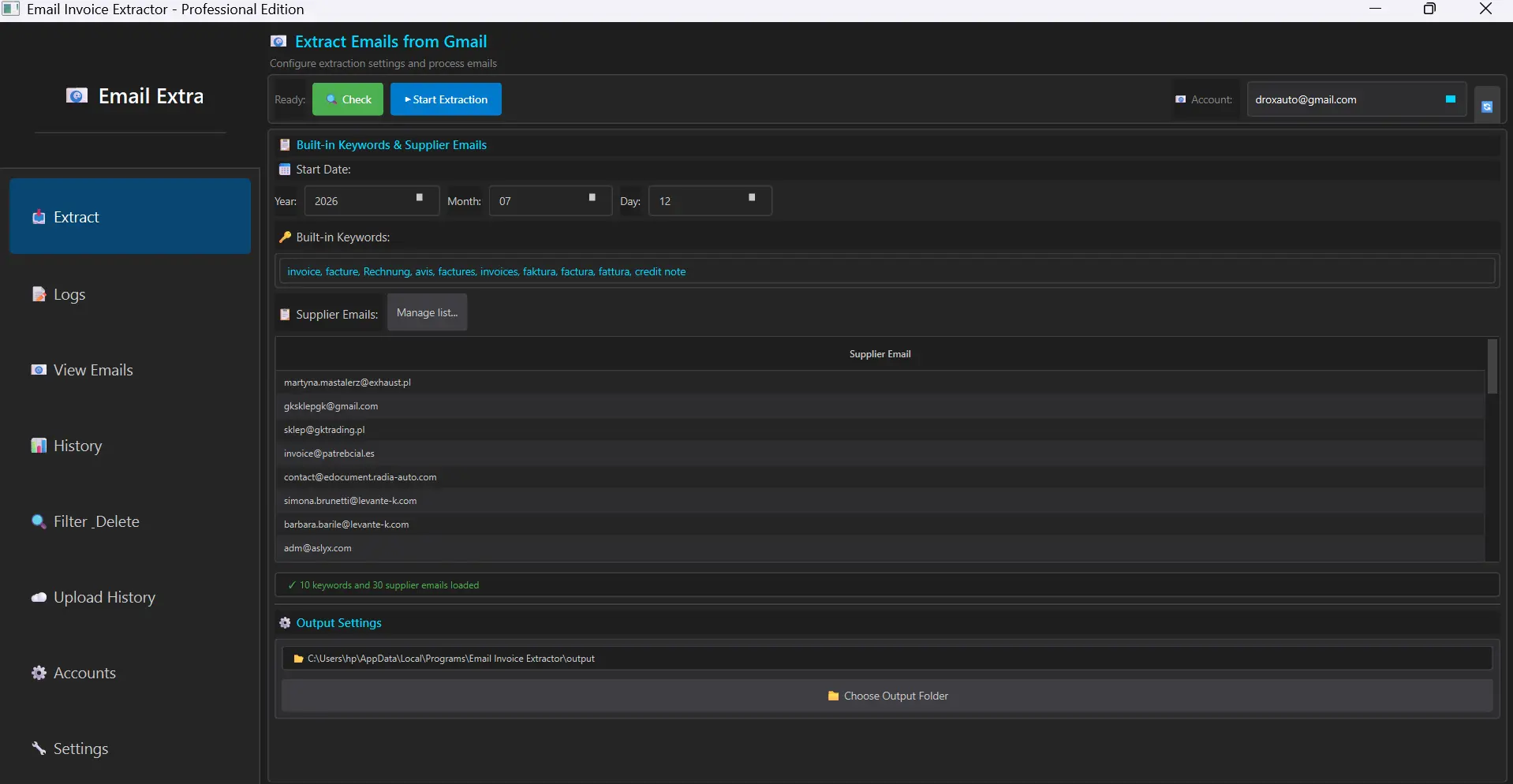
Users securely connect one or multiple Gmail accounts using Google's OAuth authentication. They upload a CSV file listing supplier email addresses and optional date filters. The application builds optimized Gmail search queries using the has:attachment operator and date range filters, then extracts all matching emails across all suppliers — deduplicating supplier entries and tracking progress per supplier.

For each extracted email, the application retrieves the full message including subject, sender, date, body text, and all attachments. PDF files are downloaded to timestamped extraction folders organized by run, with duplicate filename handling. Each extraction run is tracked in the database with statistics on total emails found, successfully extracted, and failed — with retry capability for failed extractions.

A Google Drive integration allows users to connect Drive accounts, browse and select target folders, and upload extracted PDF documents. The upload system includes retry logic with exponential backoff for network errors, duplicate upload detection, pause/resume functionality, and post-upload verification that confirms files exist in Drive.

An OCR module powered by Tesseract extracts invoice data from PDF documents — parsing invoice numbers, dates, total amounts, tax amounts, supplier names, and line items using multi-language regex patterns supporting English, French, German, Spanish, and Italian.

All data is stored in a local SQLite database covering suppliers, invoices, invoice items, Gmail accounts, Drive accounts, extraction runs, emails, and drive uploads. The application features a dark-theme interface inspired by VS Code, with sidebar navigation, tabbed views, and real-time progress tracking. It is packaged as a Windows EXE via PyInstaller and distributed with an Inno Setup installer.
Challenges

  • Implementing Gmail OAuth with timeout handling for unresponsive browsers
  • Building efficient Gmail search queries across multiple suppliers
  • Handling large email volumes with pagination and progress tracking
  • Downloading attachments with duplicate filename resolution
  • Implementing extraction run tracking with timestamped folder organization
  • Building Google Drive upload with retry logic and exponential backoff
  • Verifying upload success by confirming file existence in Drive
  • Detecting and skipping duplicate uploads across extraction runs
  • Implementing OCR with multi-language support for invoice parsing
  • Managing multiple Gmail and Drive accounts simultaneously
  • Building a responsive dark-theme Qt desktop interface
  • Handling network errors gracefully across all API operations

Results

  • Reduced manual invoice processing by over 90%
  • Automated bulk email extraction from Gmail
  • PDF attachment download with organized folder structure
  • Google Drive upload with verification and retry
  • OCR invoice data parsing from PDF documents
  • Full extraction run history and tracking
  • Duplicate email and upload detection
  • Multi-account Gmail and Drive support
  • Dark-theme professional desktop interface
  • Windows installer for easy deployment
  • SQLite database with complete audit trail
  • Network error resilience across all operations

Gallery

EmailNinja – Email Extraction & Invoice Processing Desktop App screenshot 1
1 / 3

What people say

Swipe or use arrows. Switch EN / FR / AR when available.

EmailNinja saved our team a lot of time every week. The work was clean, professional, and exactly what we needed — invoices from Gmail to Google Drive without the manual hassle.

PC

Private Client

Client · Accounting workflow

Community

GitHub

Social Media

Linkedin
© Taoufik Boucetta 2026 Inc. All rights reserved.